
Early access
Know where your Blender assets are used.
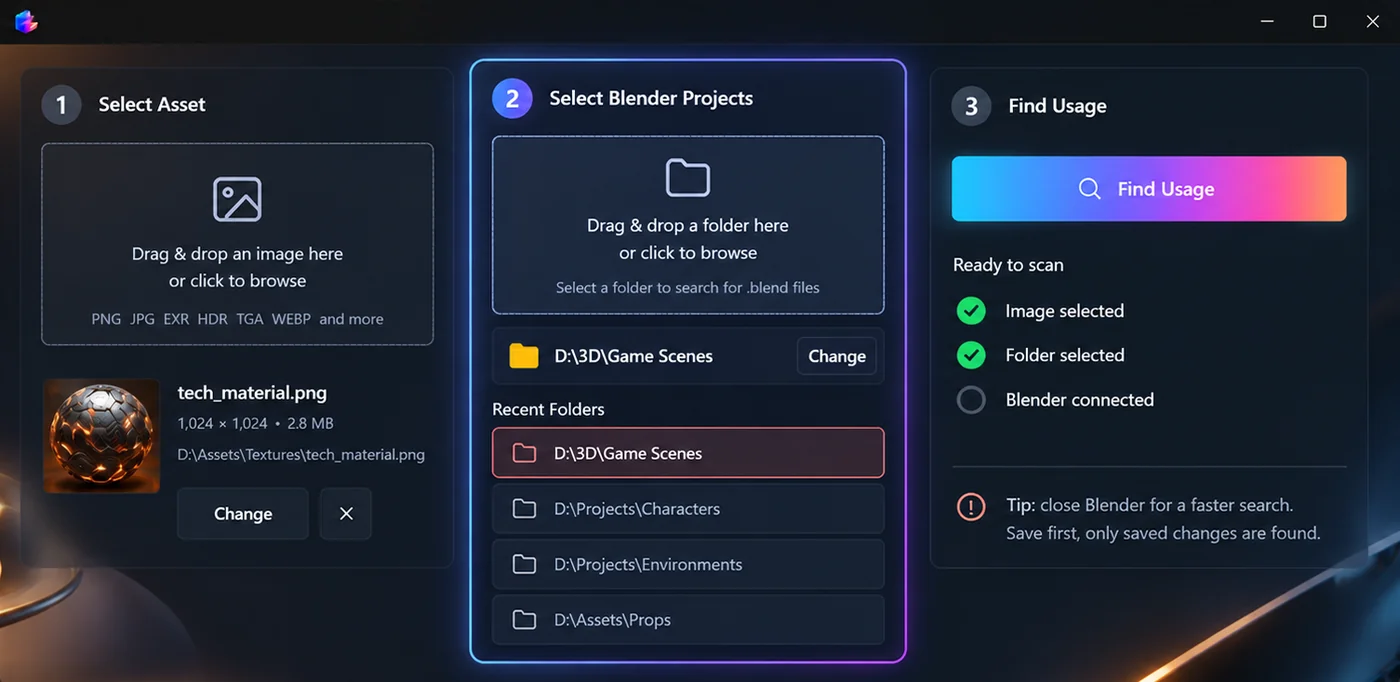
LinkedFiles is a Windows desktop app in early access for Blender
creators. Pick an asset, point it at a folder of .blend
projects, and see every project and connection that references that file
locally on your machine.
Requires Windows 10/11 and Blender. Windows may show “Windows protected your PC”: click More info → Run anyway.
What LinkedFiles does
It answers one question: which Blender projects are using this file, and where inside each project is it linked?
How it works
- Select an asset (texture, model, or other file).
- Choose the folder where your Blender projects live.
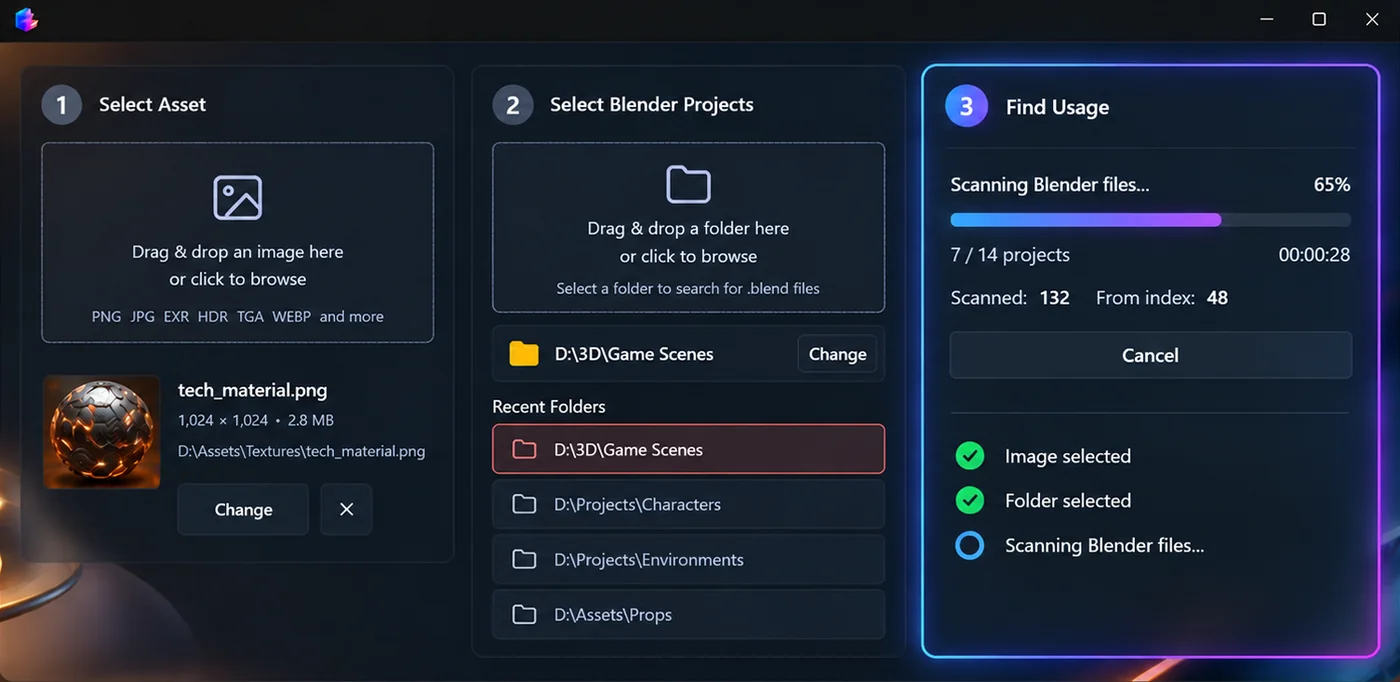
- Scan projects to build or refresh a local index.
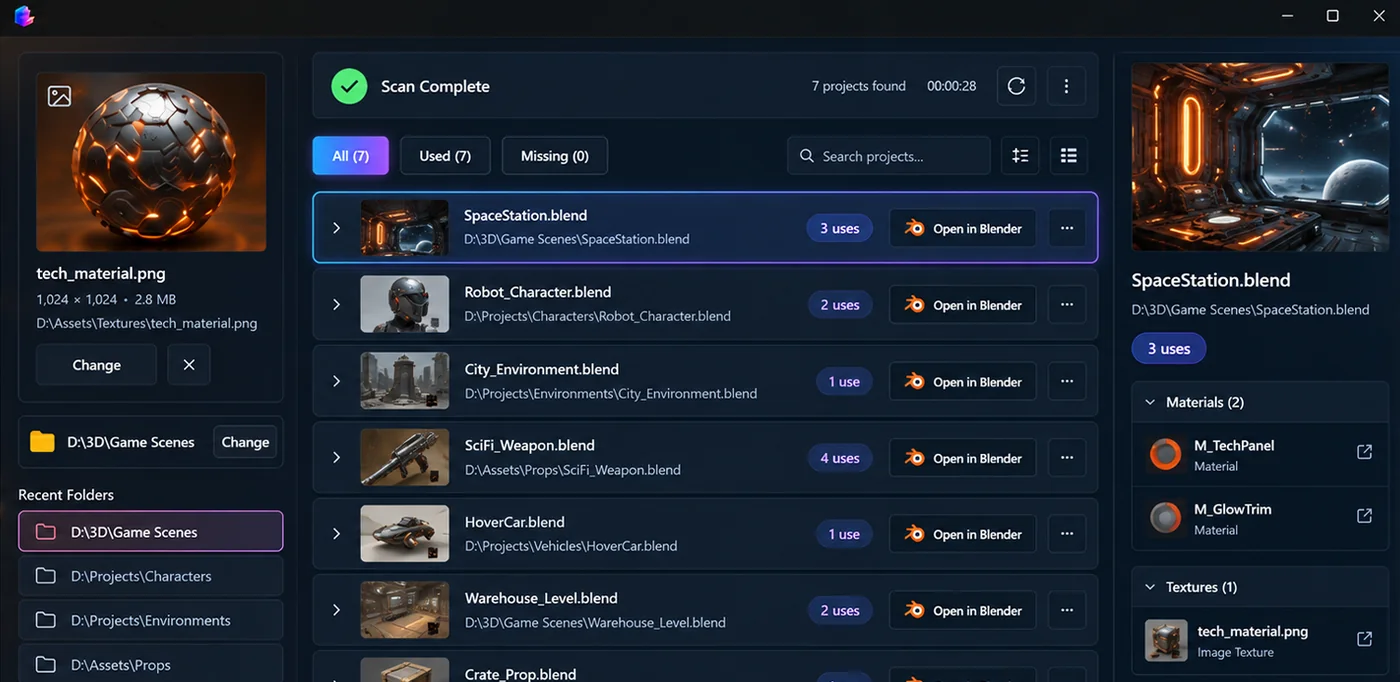
- See every project that uses the asset.
- Open the connection path: objects, materials, and nodes.
Desktop advantages
Projects stay on your computer. Indexing and search run locally so you can work with large libraries without uploading files.
System requirements
- Windows 10 or later (64-bit)
- Enough disk space for a local project index (size depends on your library)
- Read access to folders that contain your
.blendfiles
Supported assets
Trace common image formats (PNG, JPG, EXR, HDR, TGA, WEBP, and more), linked models, and other external files referenced from Blender projects. Results show project names plus object, material, and node paths where available.