
Early access
Find Blender Projects Connected to Your Files.
LinkedFiles finds which Blender projects use your textures, models, materials, and other assets and shows you exactly where they're connected.
Requires Windows 10/11 and Blender. Windows may show “Windows protected your PC”: click More info → Run anyway.
LinkedFiles in action.
Select an asset. Scan your projects. Instantly see where it's being used.
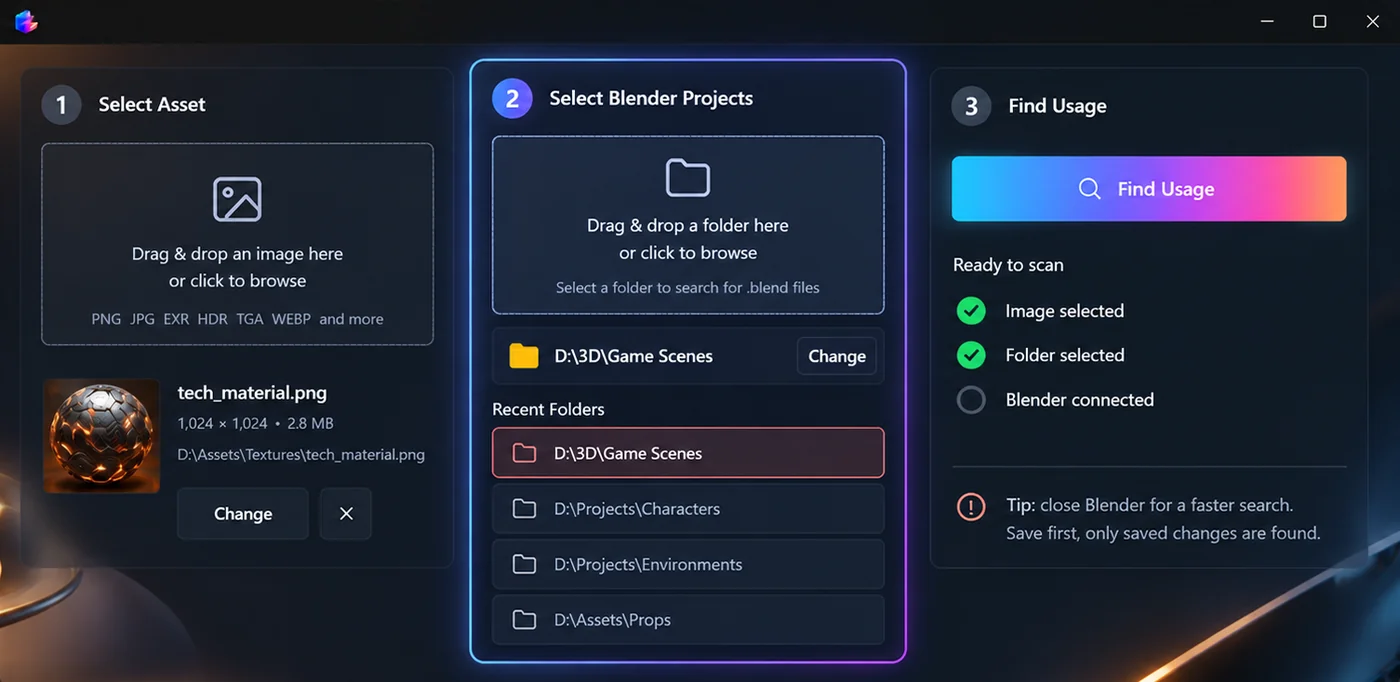
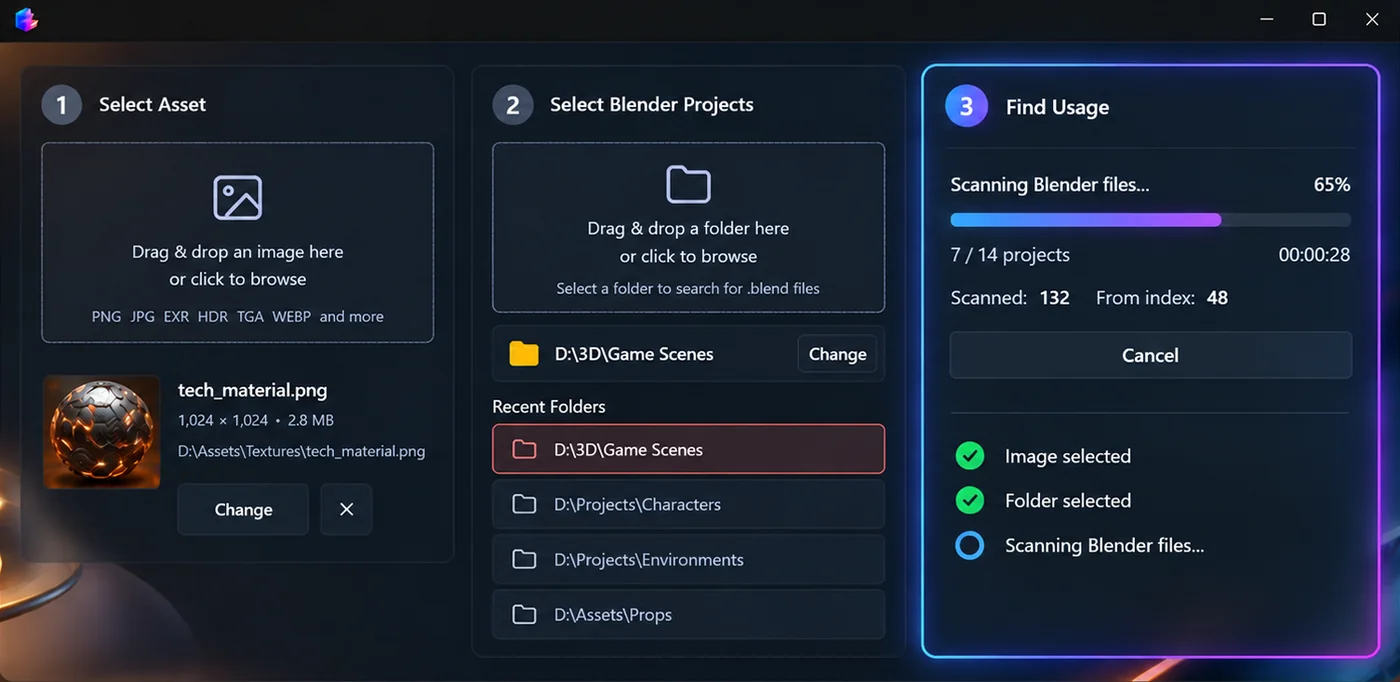
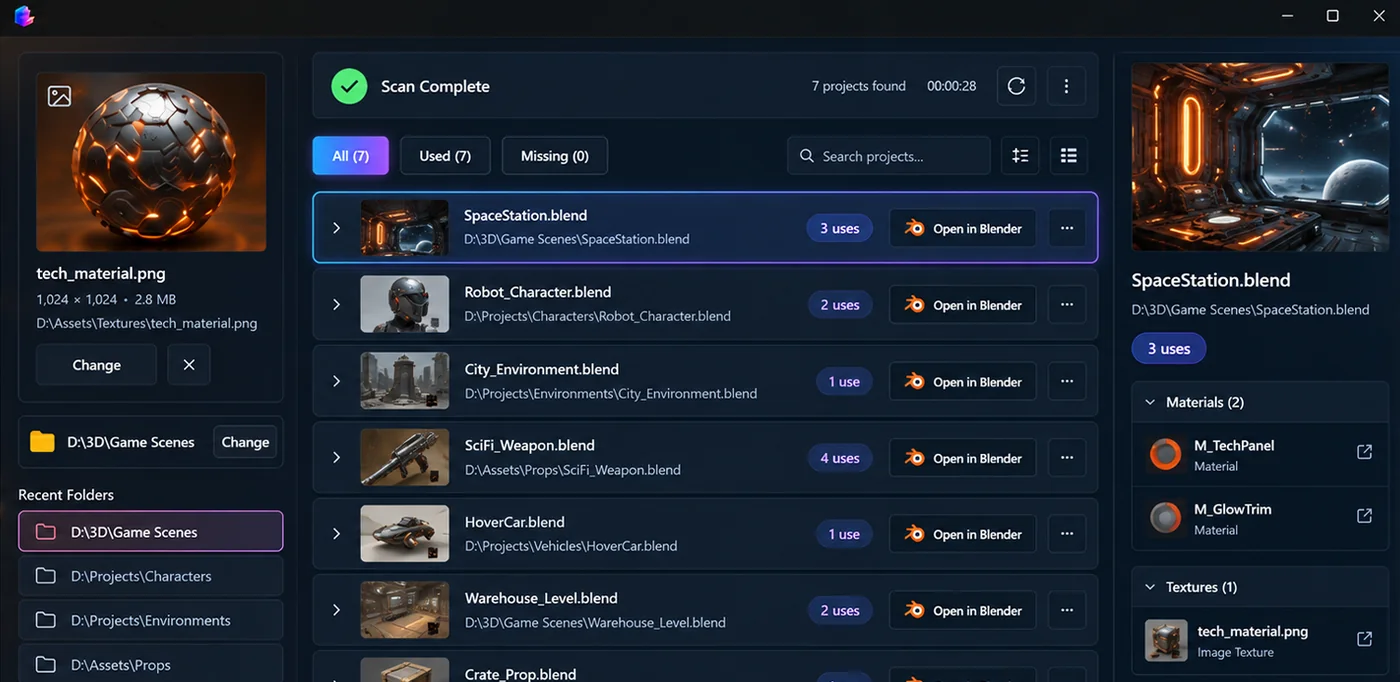
Built for creative projects.
-
Blender
SupportedTextures · Materials · Models · Nodes
-
Premiere Pro
Coming SoonVideo · Audio · Graphics
-
After Effects
Coming SoonFootage · Compositions · Assets
-
Unreal Engine
Coming SoonTextures · Materials · Models
-
Unity
Coming SoonAssets · Materials · Scenes
Built for messy project folders.
- Find what uses an asset
- Find missing files
- Understand project dependencies
- Safely reorganize projects
- Clean up unused assets
- Avoid accidentally breaking projects
Frequently asked questions
- What does LinkedFiles do?
-
It scans folders of
.blendprojects on your PC and shows which files reference an asset you choose: materials, textures, models, and node links included. - Do I need Blender open while searching?
- No. LinkedFiles reads project files directly. Closing Blender can speed up scans; save projects first so the latest links are detected.
- Is LinkedFiles in early access?
- Yes. LinkedFiles is a Windows desktop app in early access. Features and performance may change as we iterate with testers.
- Why not just search my folders manually?
- A normal file search can tell you where a file exists. LinkedFiles tells you which Blender projects actually use that file, saving you from opening projects one by one.
- What happens if I move or rename an asset?
- LinkedFiles can help you identify the Blender projects that reference the asset so you can understand what may be affected before making changes.
- Who is LinkedFiles for?
- LinkedFiles is useful for Blender artists, 3D modelers, game developers, studios, freelancers, and anyone managing large collections of Blender projects and assets.
- Can I use LinkedFiles with a large asset library?
- Yes. The desktop application is intended for scanning folders containing multiple Blender projects and assets.
Early access
Join LinkedFiles on Windows.
LinkedFiles is in active development. Early access builds search your Blender projects locally and show where your assets are used.